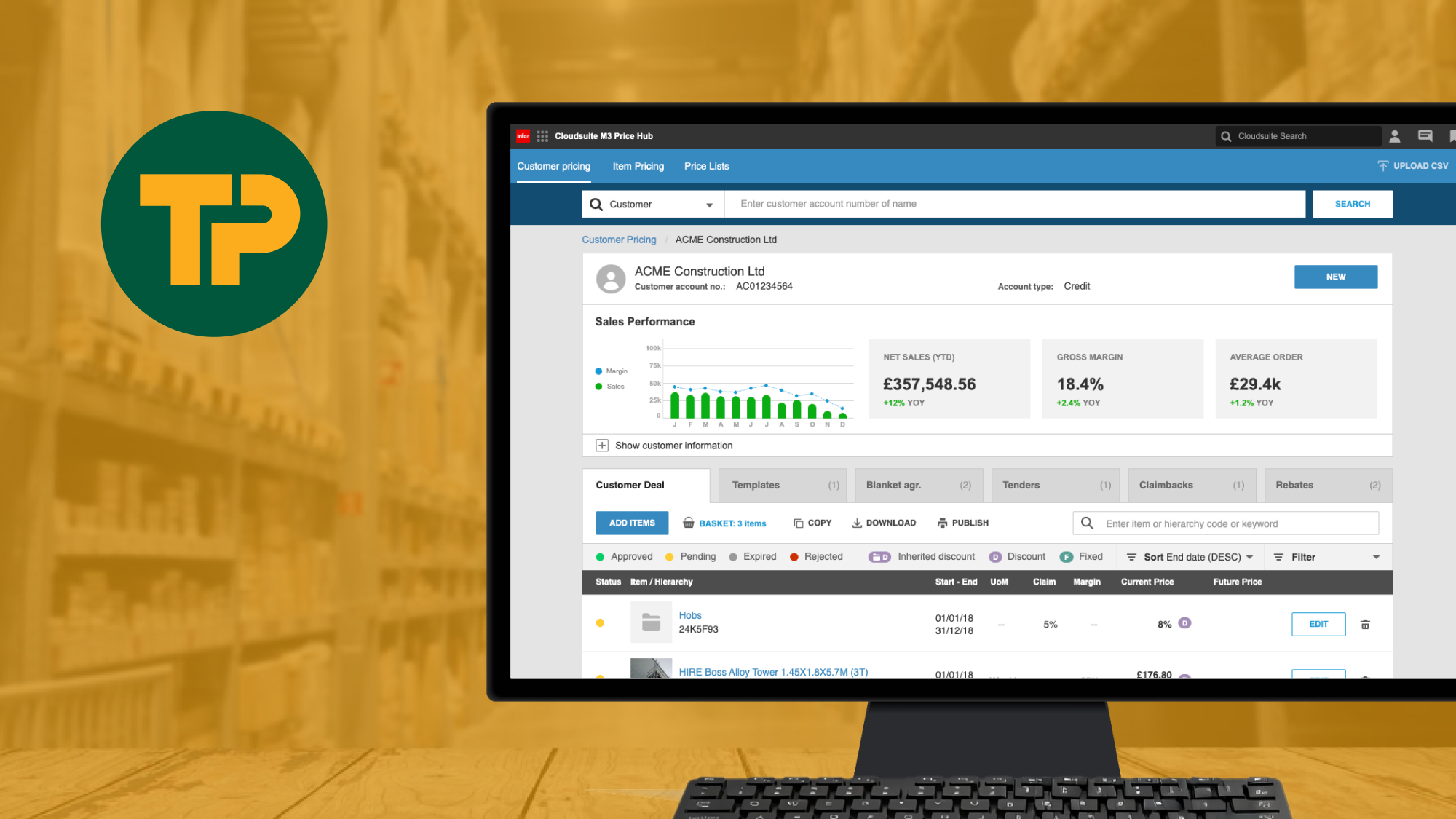
Making complex ERP pricing changes clear, controlled and usable
Travis Perkins Price Hub
Case Study UX/UI Enterprise
Employer
Travis Perkins PLC
Role
Senior UX/UI Designer
Overview
As part of a major ERP rollout using Infor M3, Travis Perkins needed a better way for branch and back office teams to manage complex pricing changes.
I designed a dedicated interface that sits alongside the ERP, allowing pricing structures to be created, edited and controlled through a far more usable workflow.
The result was a system that made complex pricing changes easier to manage, reducing reliance on technical ERP processes and giving business users far greater control.
Context and problem
Infor M3 was being implemented as the new ERP across the business, but its native interface was not designed for practical pricing management across branches. Teams relied on spreadsheets, email chains and manual checks to handle pricing changes. This led to delays, inconsistent data and commercial risk.
The pricing rules themselves were complex and could not be simplified. The job was to design a layer that worked with M3’s logic while giving users a clear, structured workflow they could trust.
The rules stayed complex. The task was to make them visible and safe to use.
Goals
1
Replace spreadsheets and legacy tools with a single, consistent pricing experience
2
Make pricing changes clearer and safer to manage
3
Support different roles and approval levels
4
Support fast decision making without bypassing governance or approval
Research and insights
Research focused on how pricing decisions were actually made across branches and head office.
I worked with subject matter experts, pricing managers and branch staff to map the real workflow from request through approval and system update. This exposed where things were breaking down, where workarounds had formed and where users lacked visibility.
Key insights:
Users needed to see validation and status early, not at the end
Approval logic was often misunderstood
Errors were usually caused by hidden rules rather than user behaviour
Confidence came from clarity, not extra features
User journeys
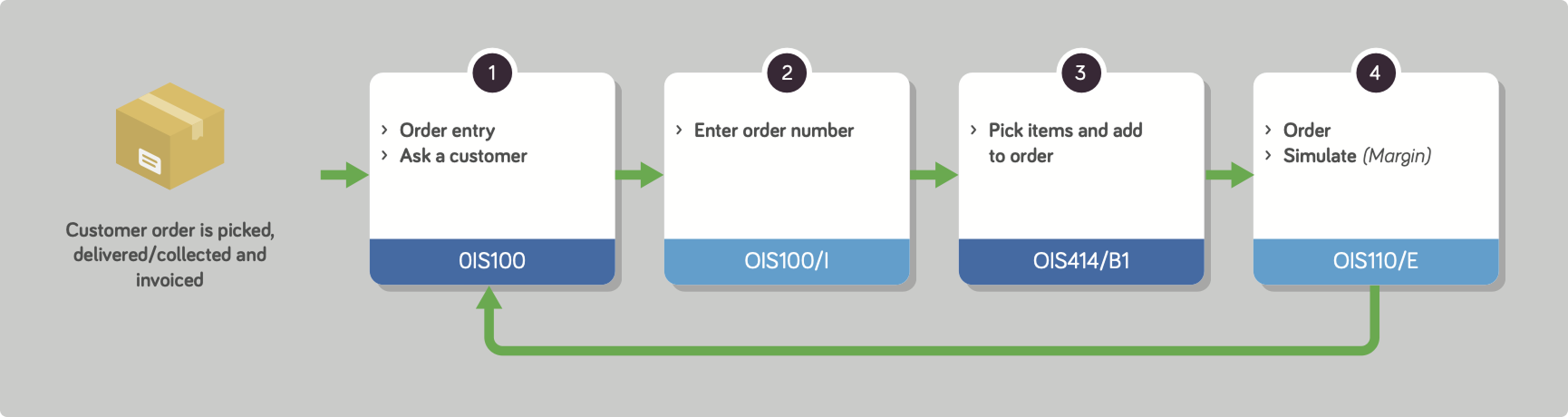
Some examples of user journeys in Customer Pricing section.
Customer pricing flow: Creating and maintaining a price list for a specific customer
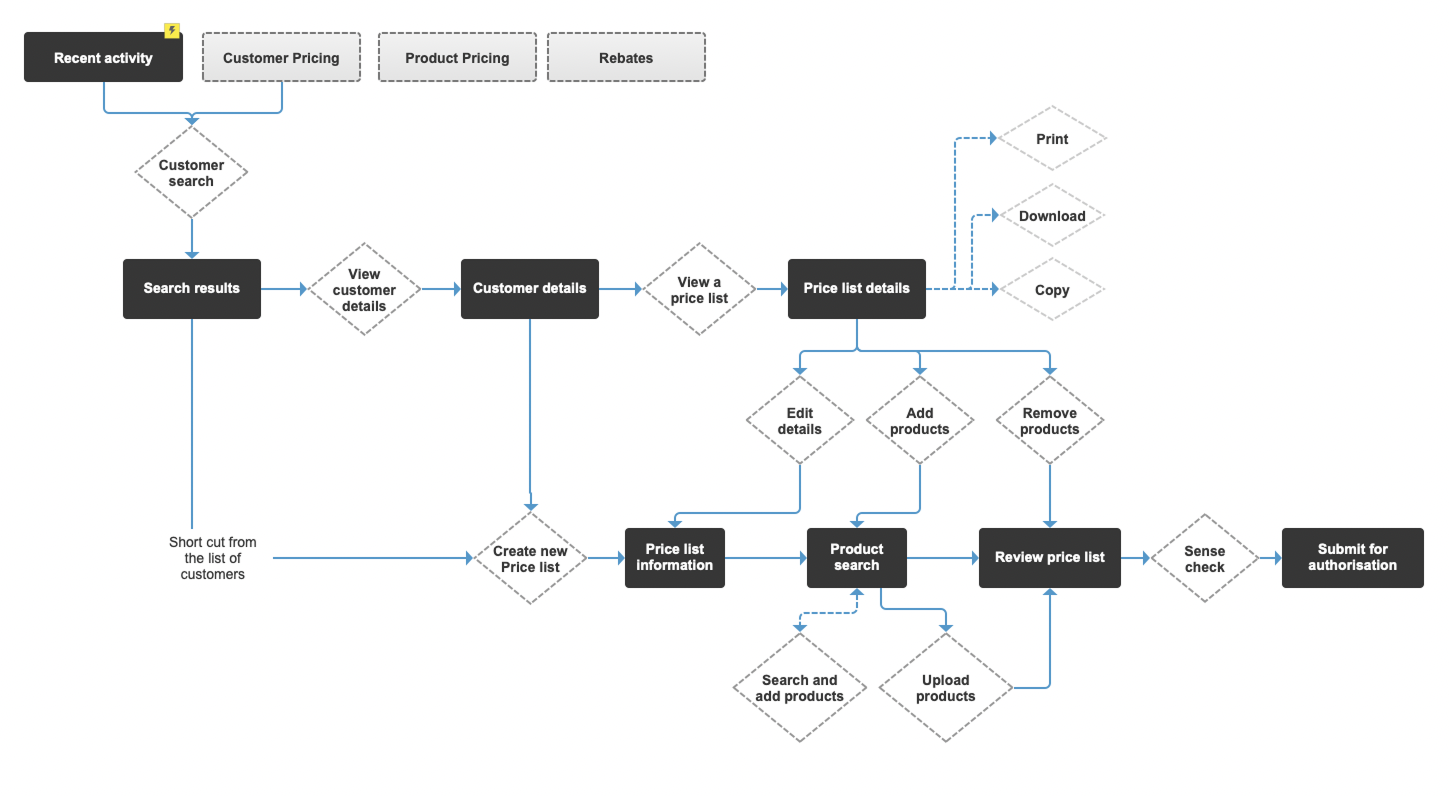
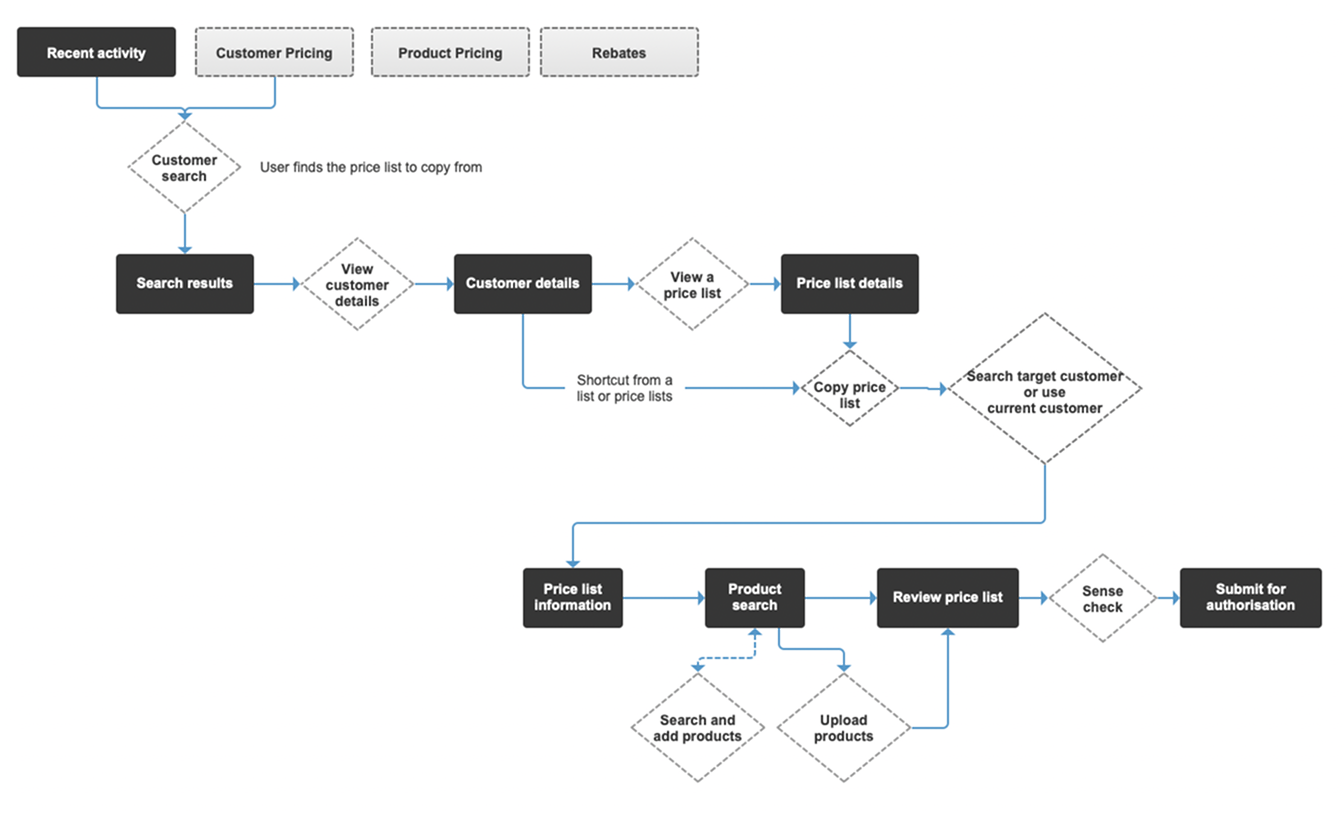
Customer pricing flow: Copying a price list for a specific customer.
Customer Rebates: Setting up a customer rebate
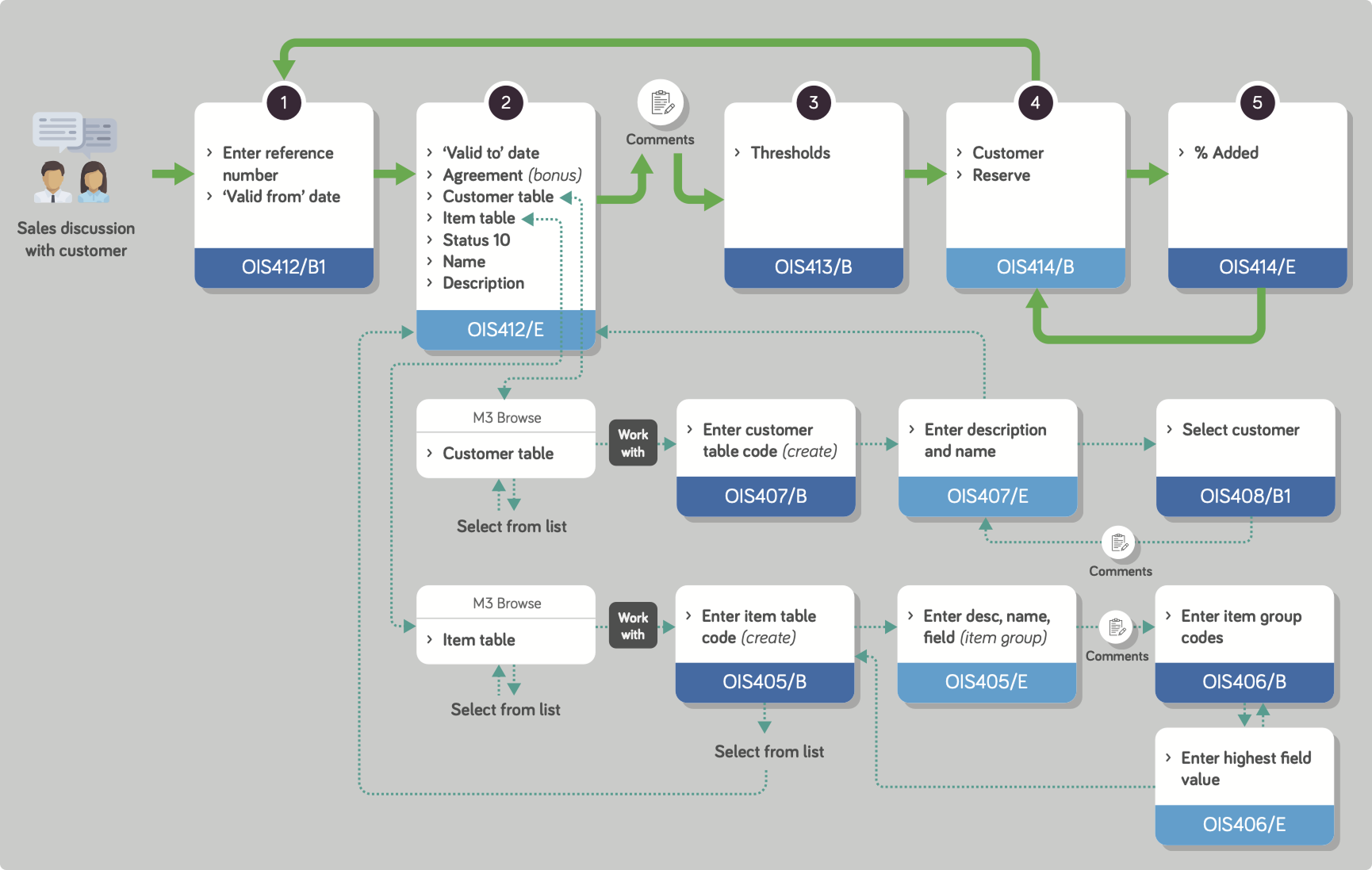
Customer Rebates: Sales Order Entry journey
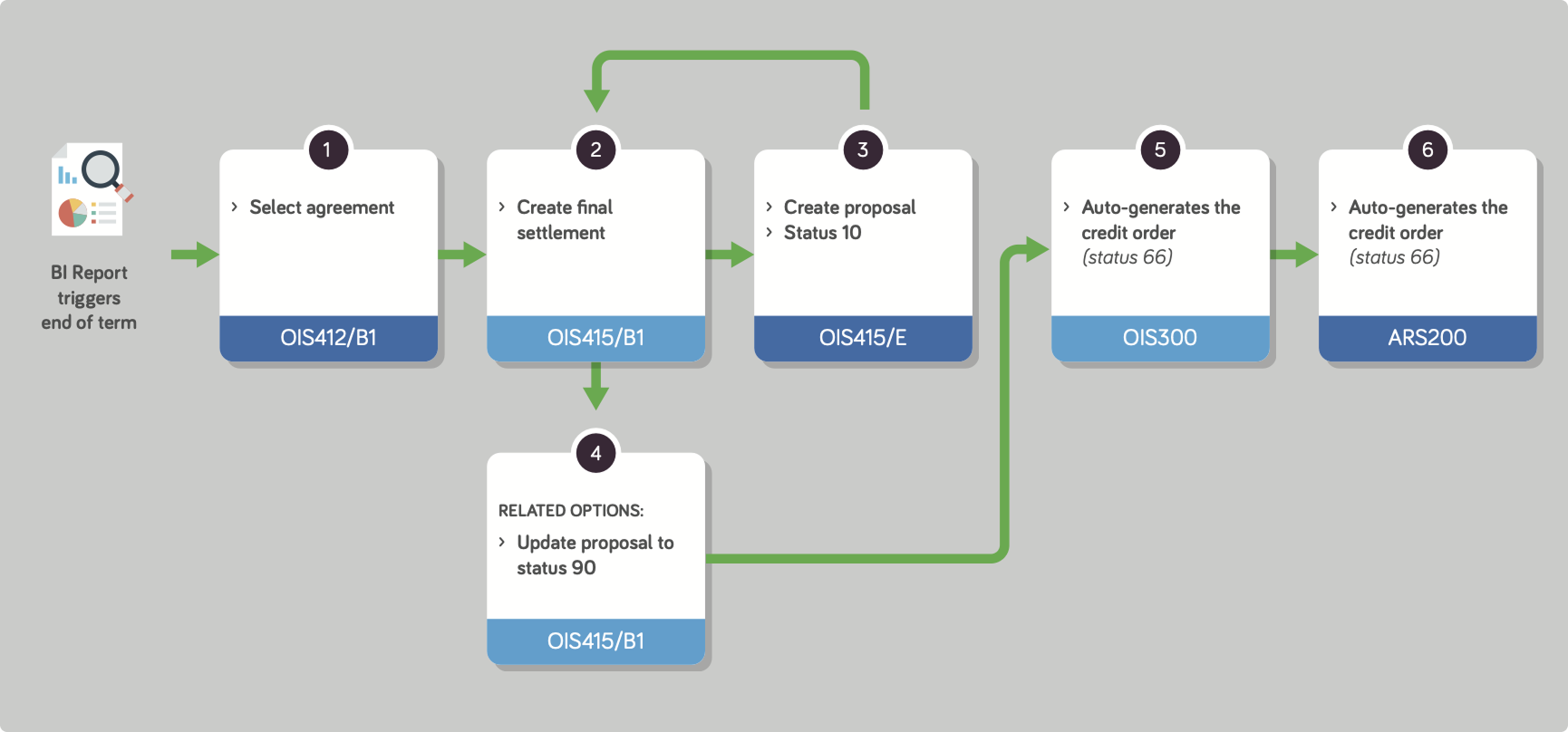
Customer Rebates: Final payment of rebate to customer
Key decisions and business alignment
I worked within the constraints of the Infor M3 system and Soho UI framework from the start. Initial wireframes and flows were created to map out the pricing logic and user journeys, then prototyped in Axure to test with stakeholders before moving into final UI design. This allowed me to validate the structure and flows early, making sure they worked within the rigid UI framework before committing to detailed design.
Key decisions I made:
Mapping out pricing structures and flows in wireframes, then prototyping in Axure to test and validate before final UI design
Making pricing logic visible and explicit, so users could understand where a price came from, not just change the value
Structuring flows around review and confidence, with clear stages, approval states, and side-by-side views of current and future pricing
Keeping default views simple, with complexity revealed only when needed, to help users work quickly under pressure
Design work
The work covered the full pricing lifecycle across multiple areas of the system.
What I delivered:
User journeys aligned to real pricing workflows
Wireframes to validate structure and approval logic
Interactive prototypes to test key scenarios before development
Final UI designs using the Infor SoHo UI framework
Iteration at each shippable stage to validate behaviour before release
All designs were validated with stakeholders to stay aligned with ERP constraints and commercial rules.
Wireframes
Wireframes and Axure prototypes testing pricing workflows.
Wireframes closely followed the SoHo UI component library to ensure consistency and speed up the move to final design.
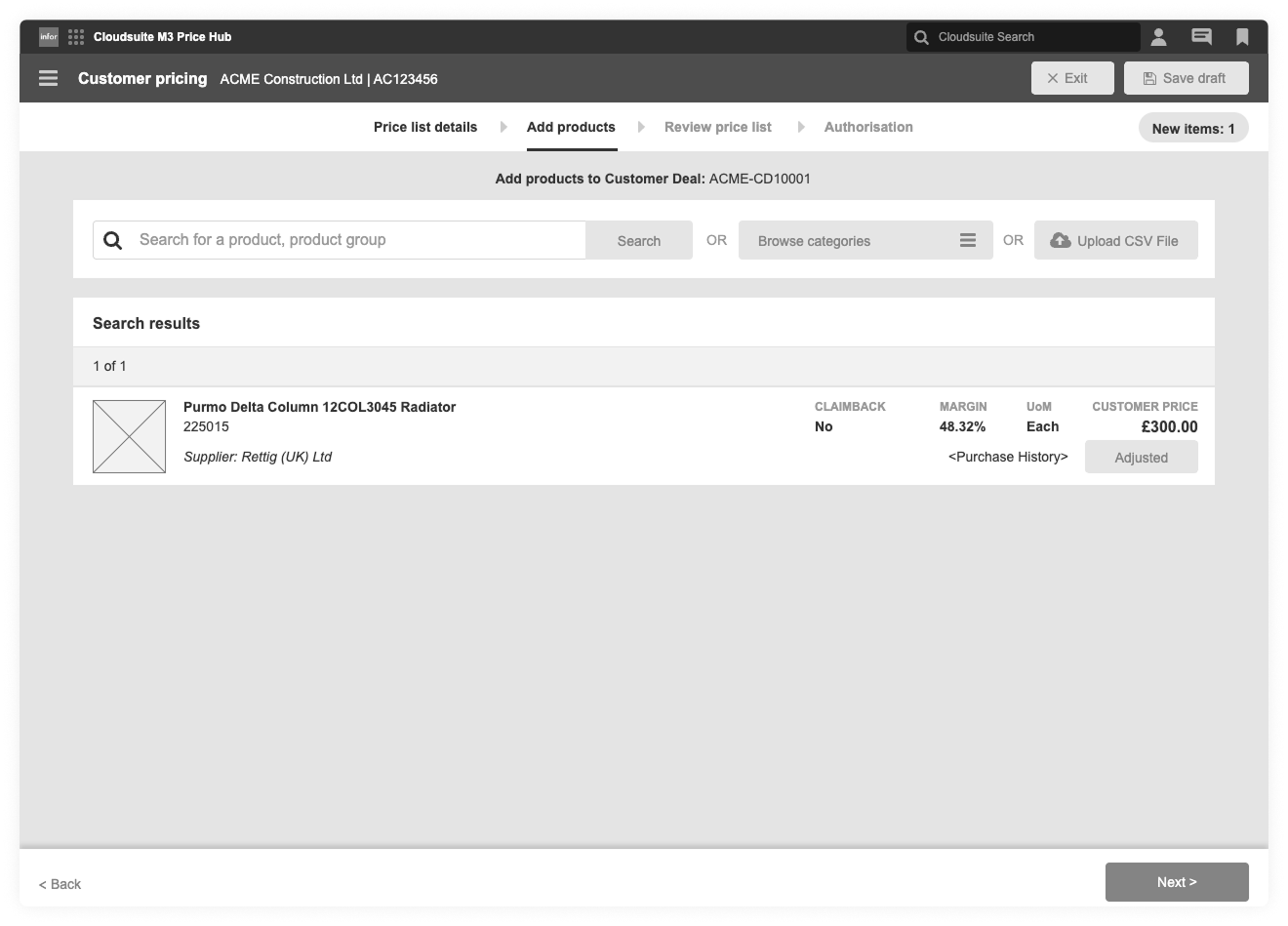
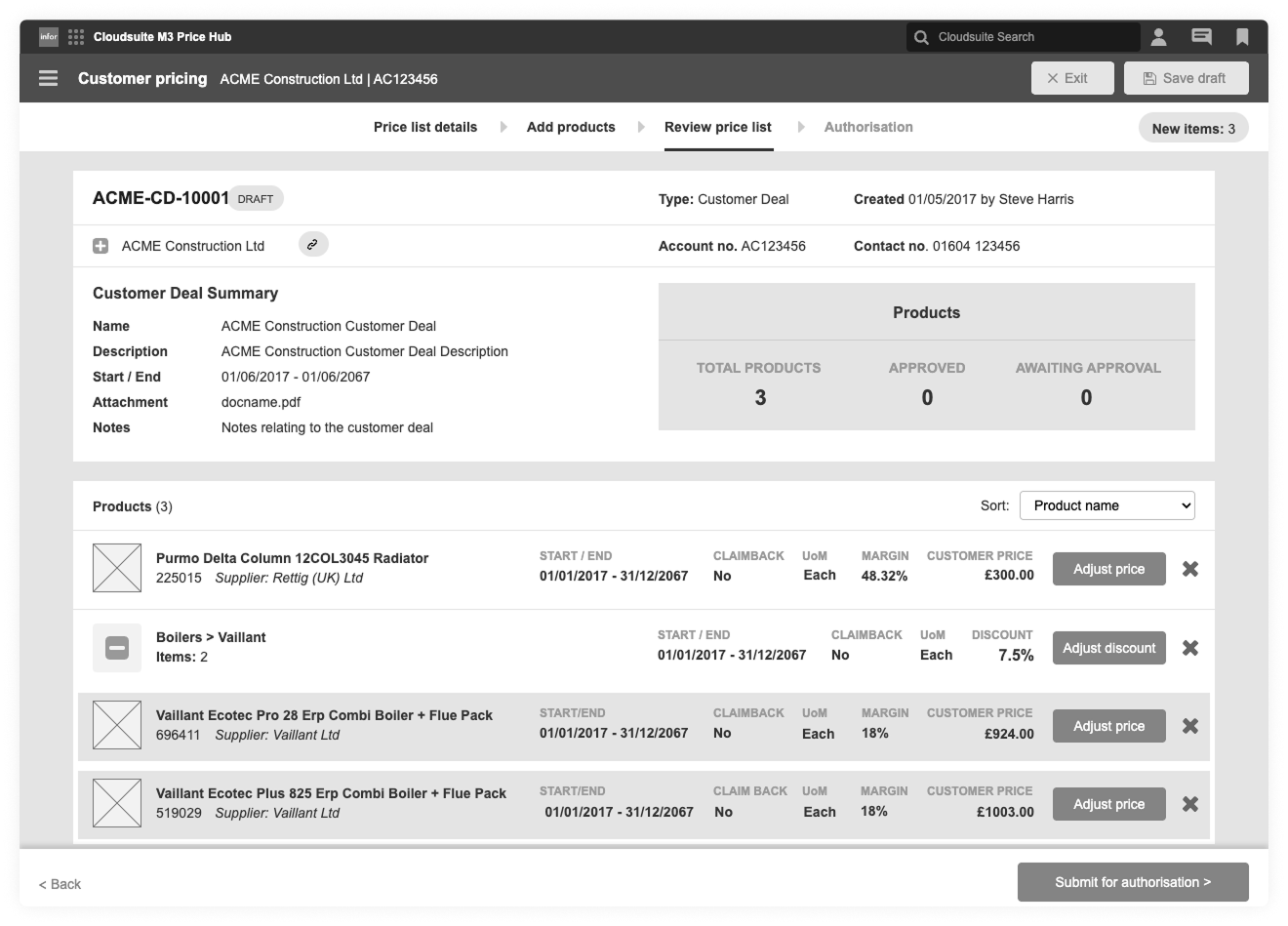
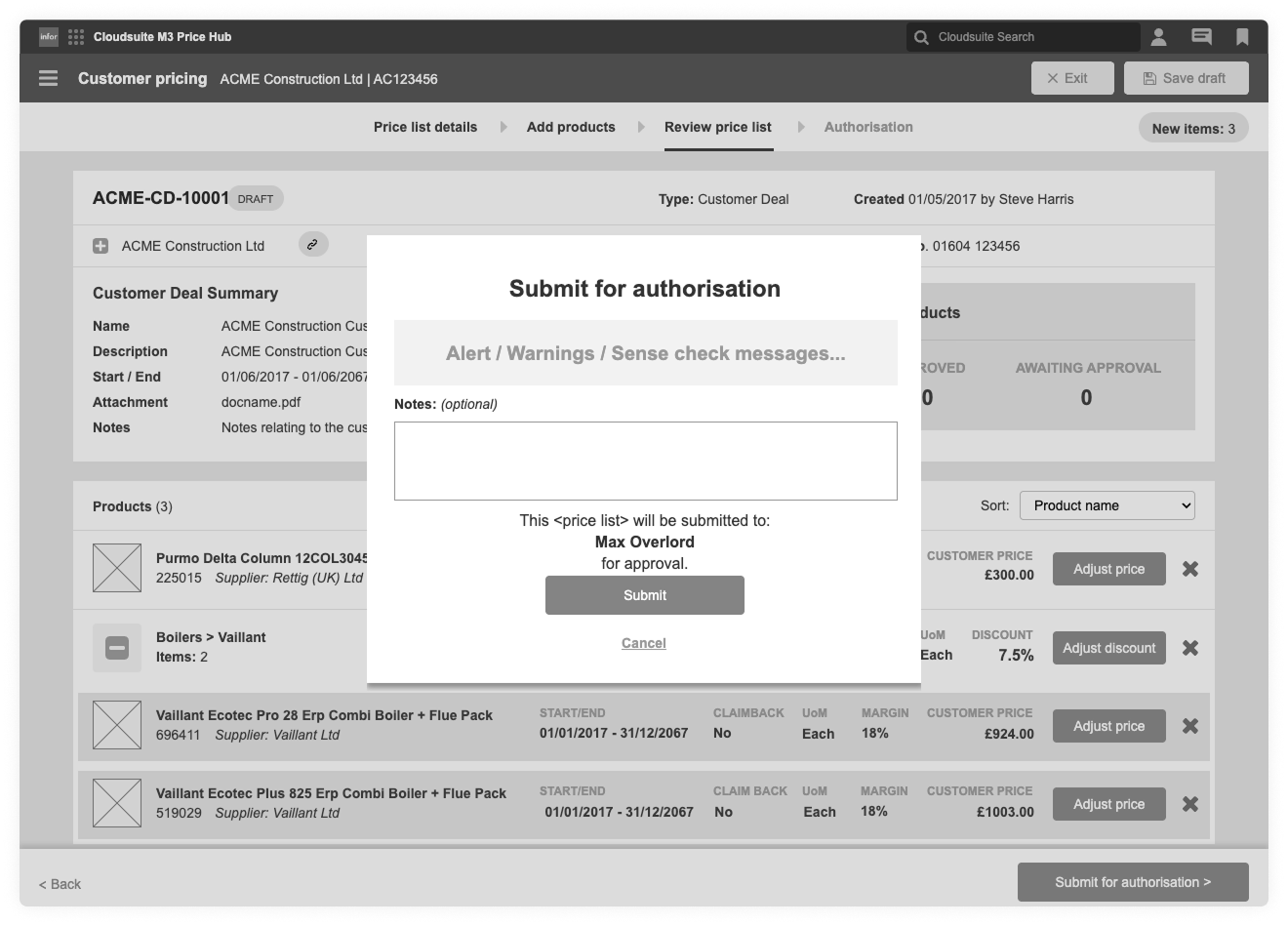
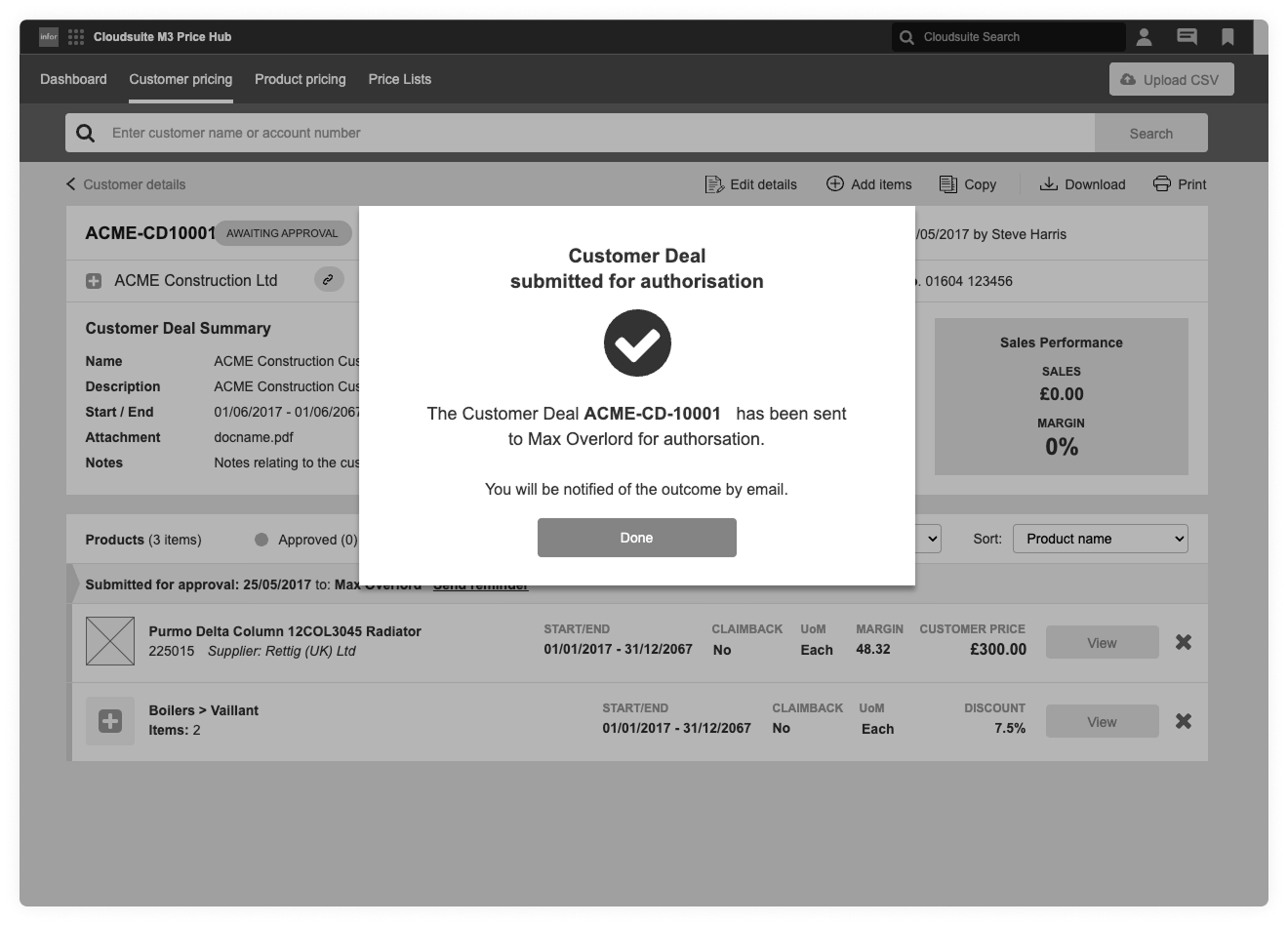
This example shows the customer pricing deal workflow - from search to basket review to approval submission.
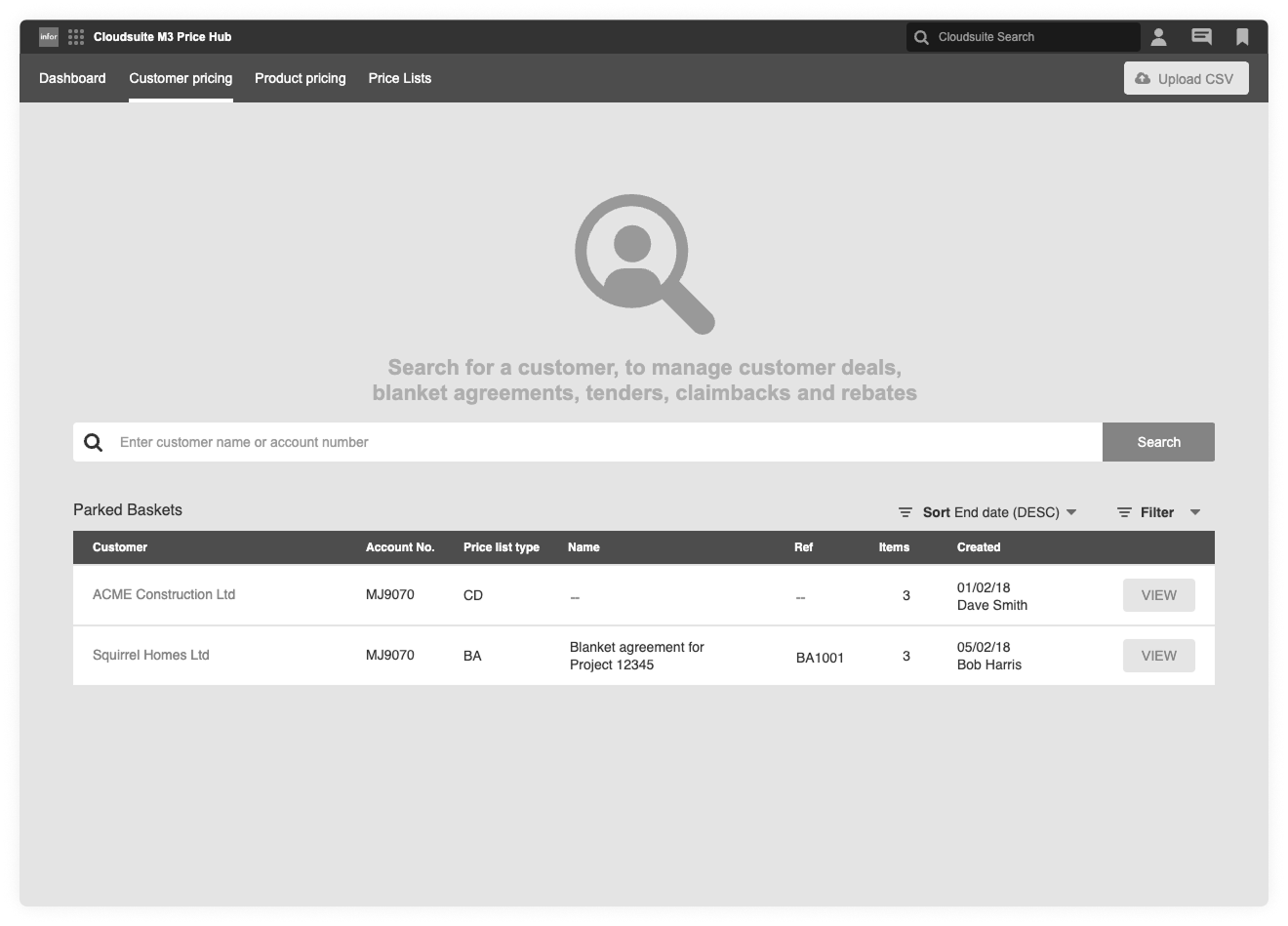
Customer pricing entry point
Search and resume customer pricing work quickly, including parked and in progress pricing baskets.
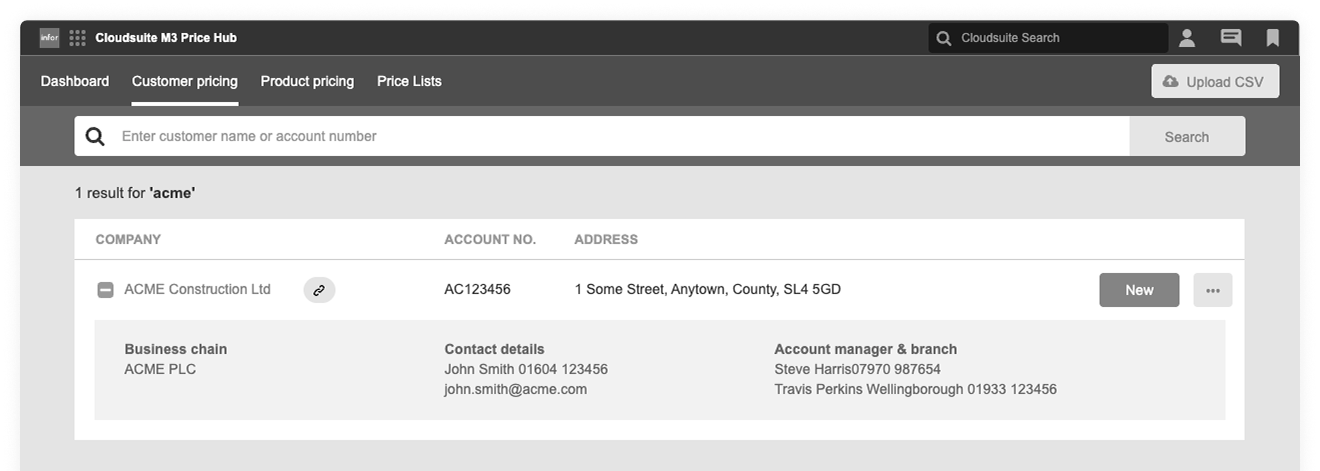
Customer search results
Clear customer identification pulled directly from Infor M3, showing key account context before any pricing is created.
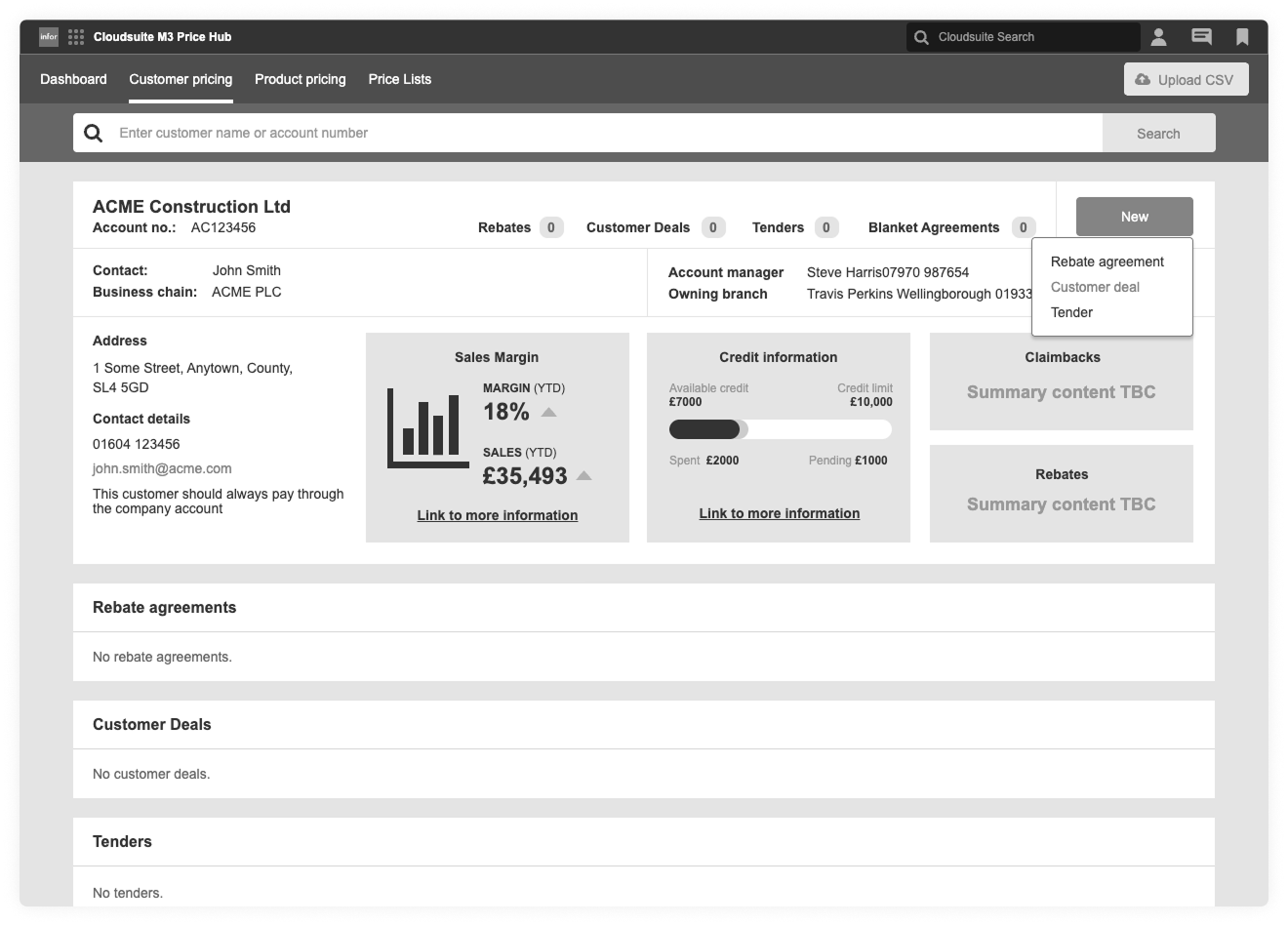
Customer pricing overview
A single view of all pricing activity for a customer, including deals, tenders, rebates and agreements.
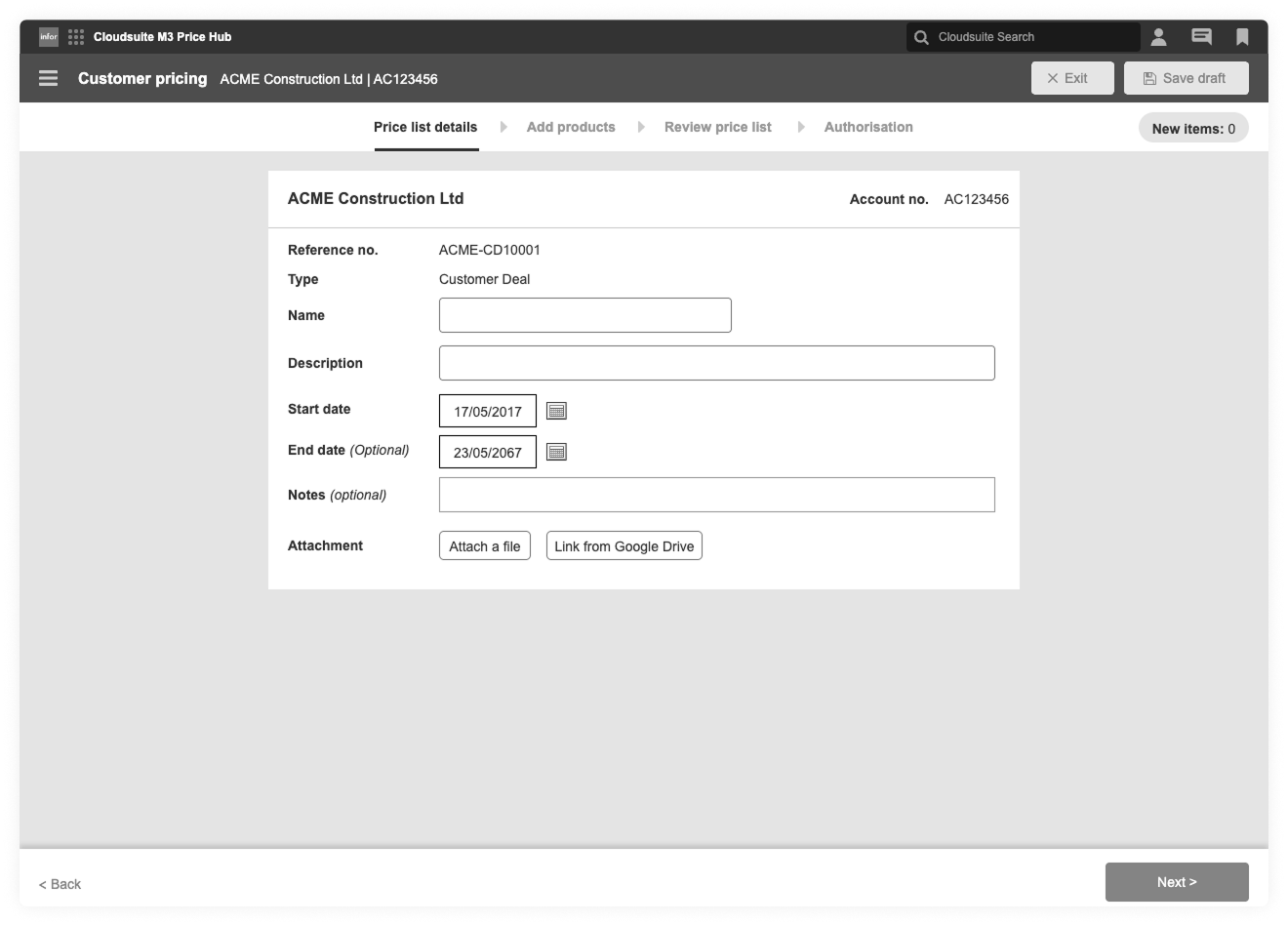
Creating a customer deal
Capturing the minimum required details upfront to keep setup quick and reduce errors later in the flow.
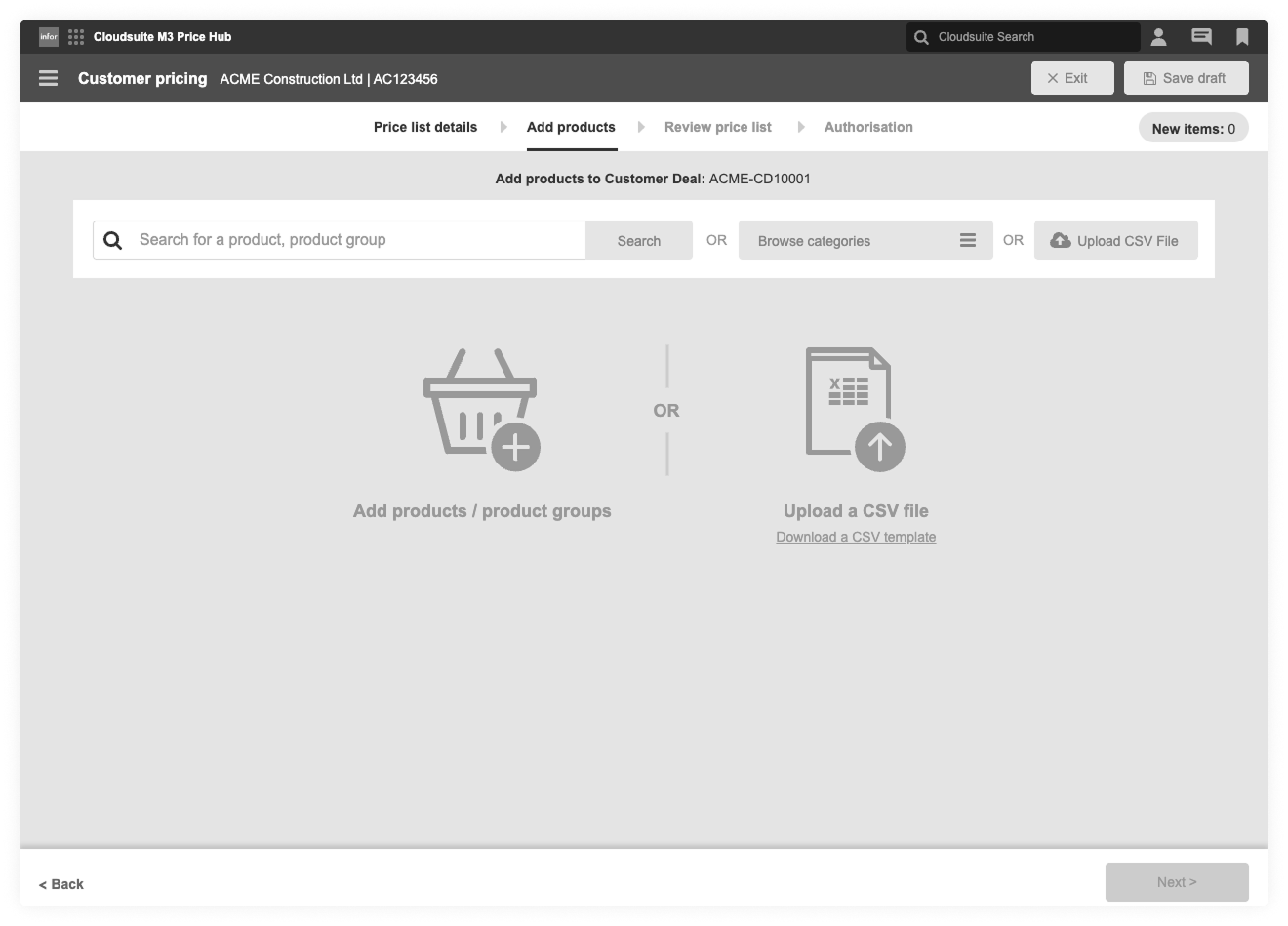
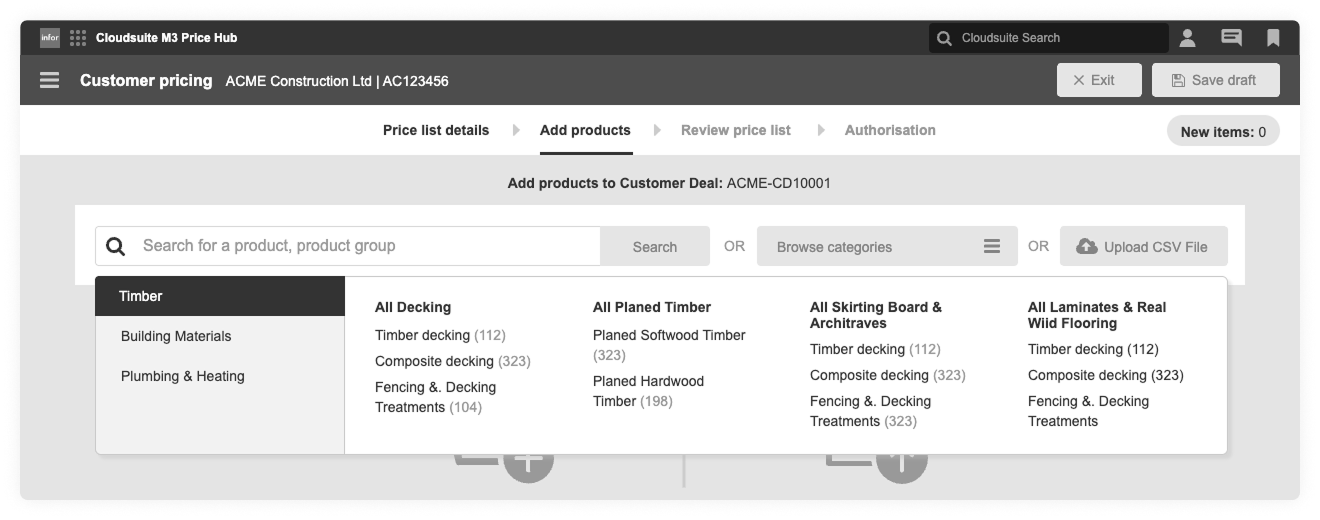
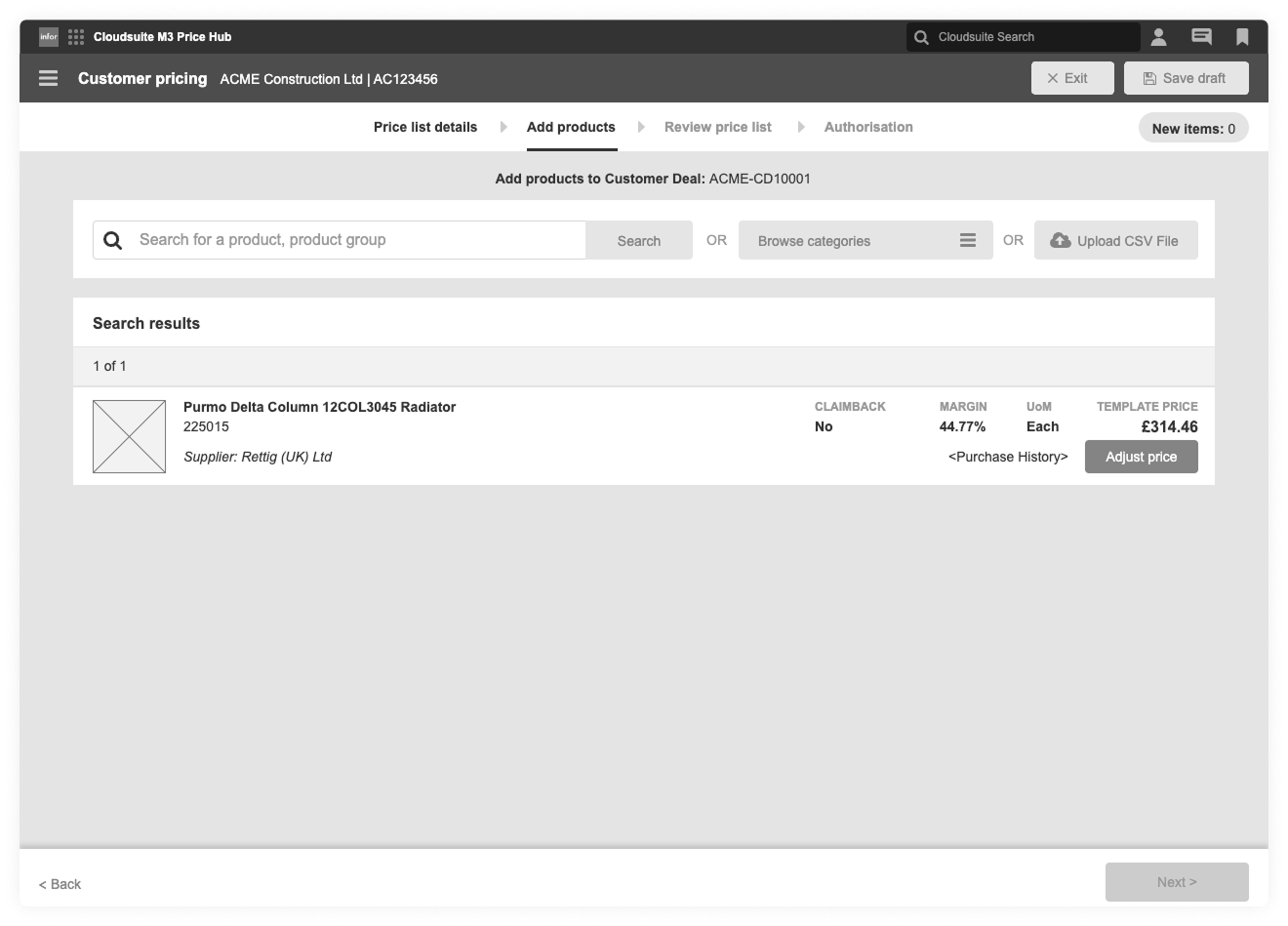
Adding products to a deal
Multiple ways to add products depending on the task, search, browse categories, or upload via CSV.
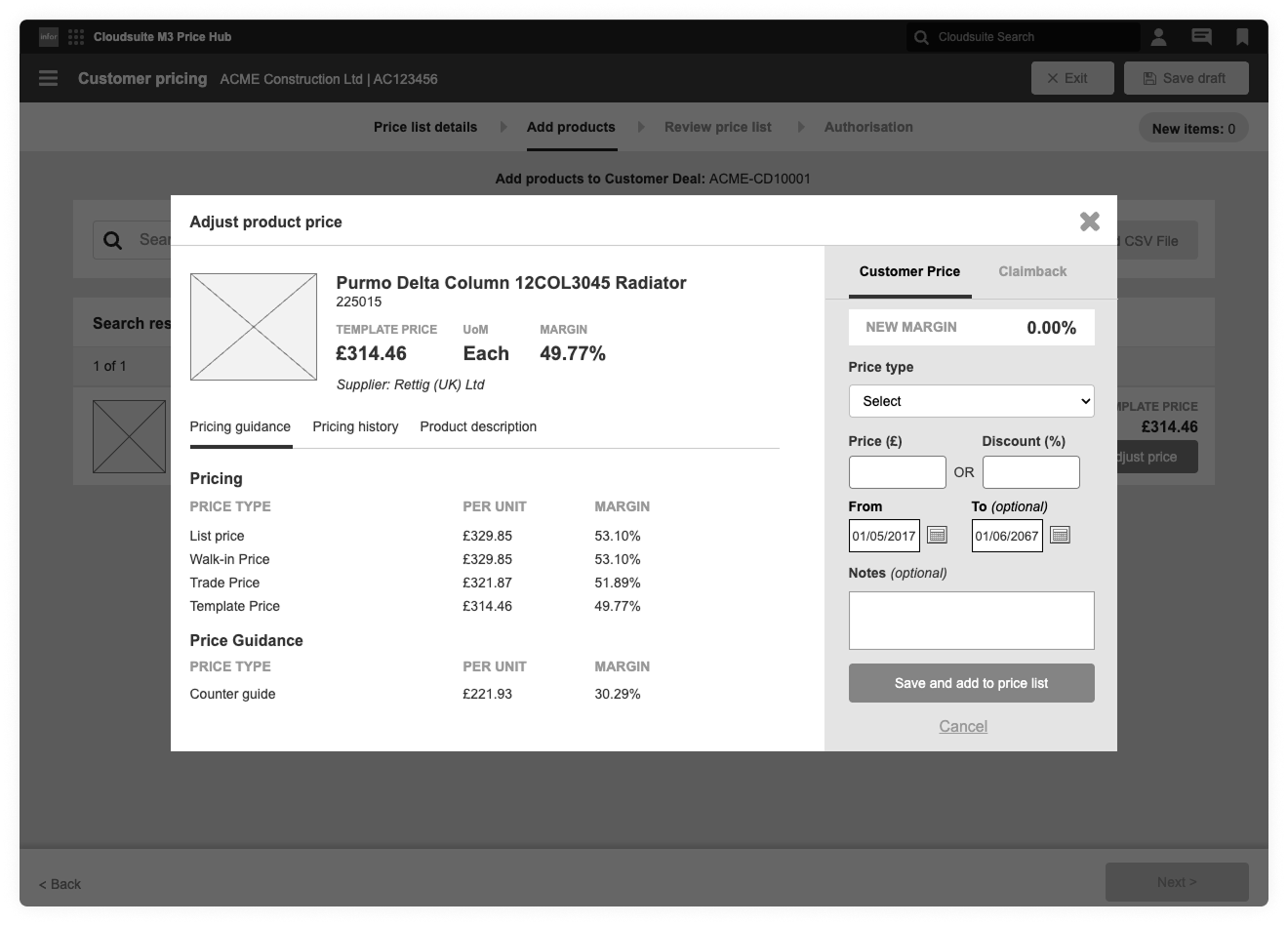
Adjusting a product price
Making pricing logic visible, showing guidance, history and impact before changes are applied.
Reviewing pricing changes
A clear summary of all pricing changes before submission, reducing risk and rework.
Submission and authorisation
Explicit handoff into approval, with confidence that pricing is complete, valid and compliant.
UI Designs
Final UI designs were built directly on top of the approved wireframes, using the SoHo UI component library to stay aligned with real patterns and constraints. This kept things consistent, reduced rework, and made the jump from structure to polished screens fast and predictable.
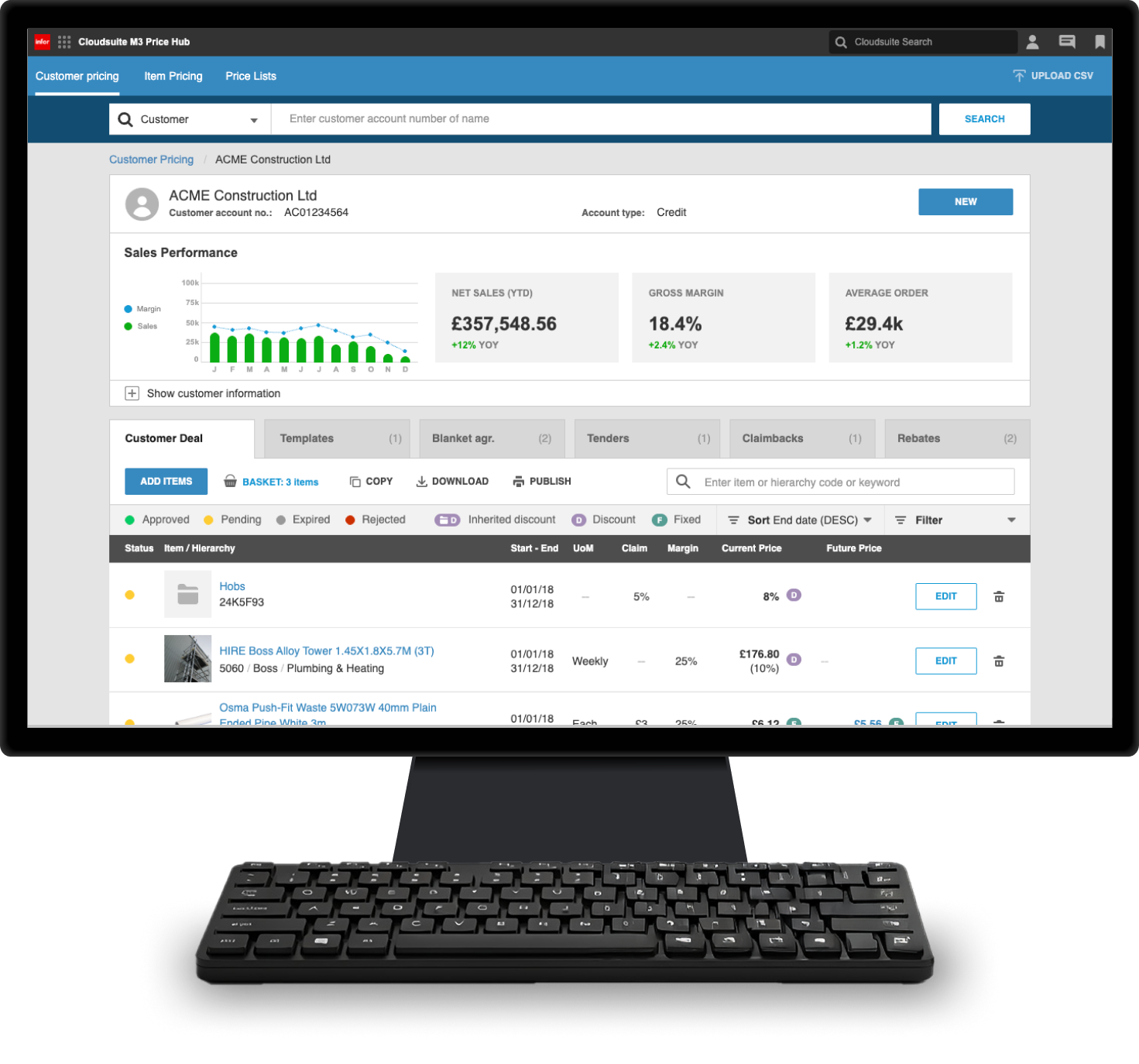
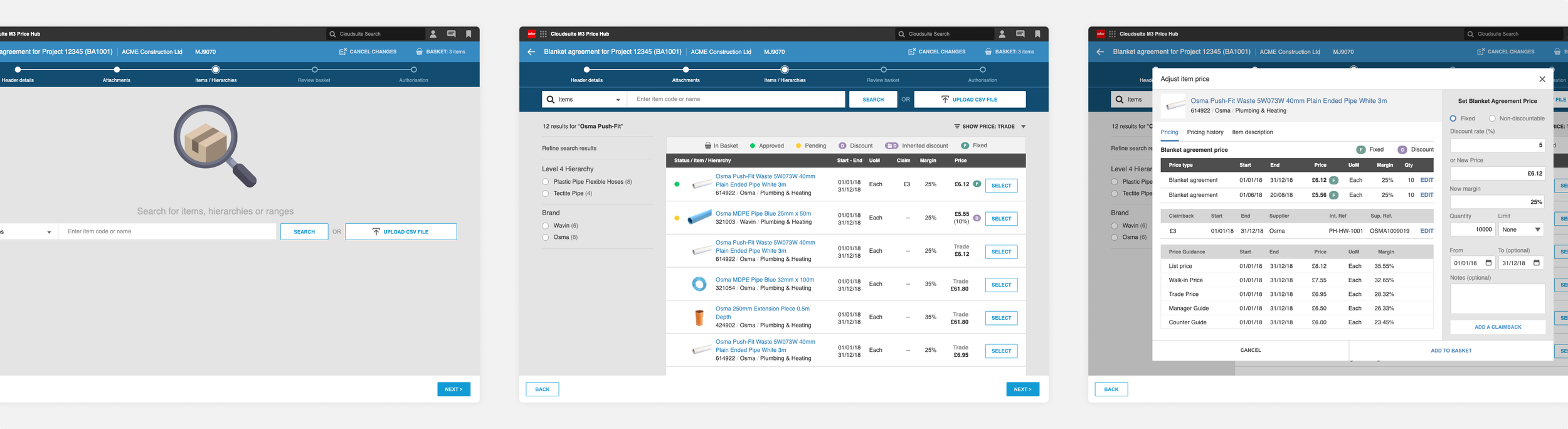
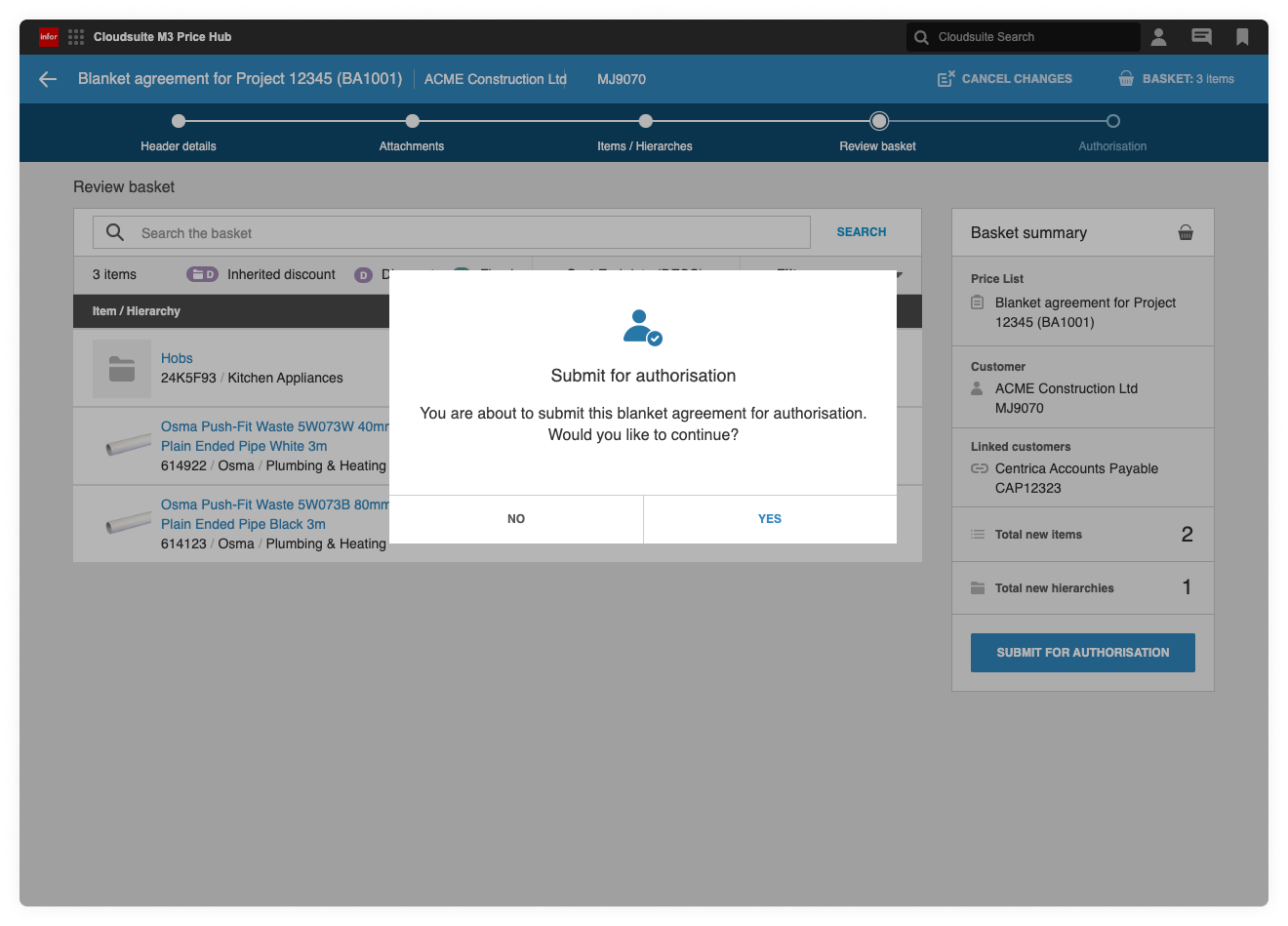
The screens shown here cover the same pricing deal journey, from search through to basket review and approval, but with full visual hierarchy, spacing, and interaction detail in place, ready for build and validation.
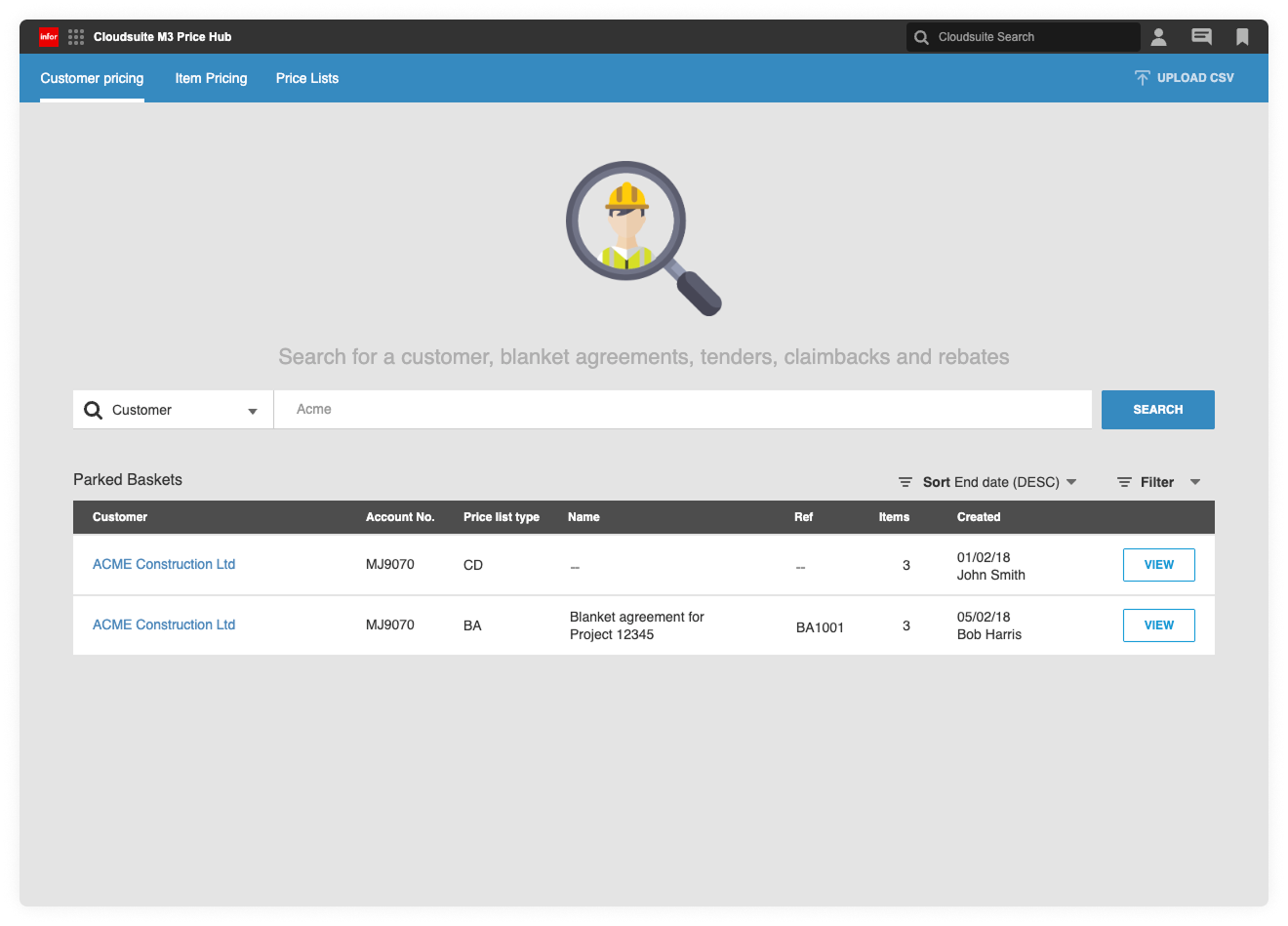
Search page
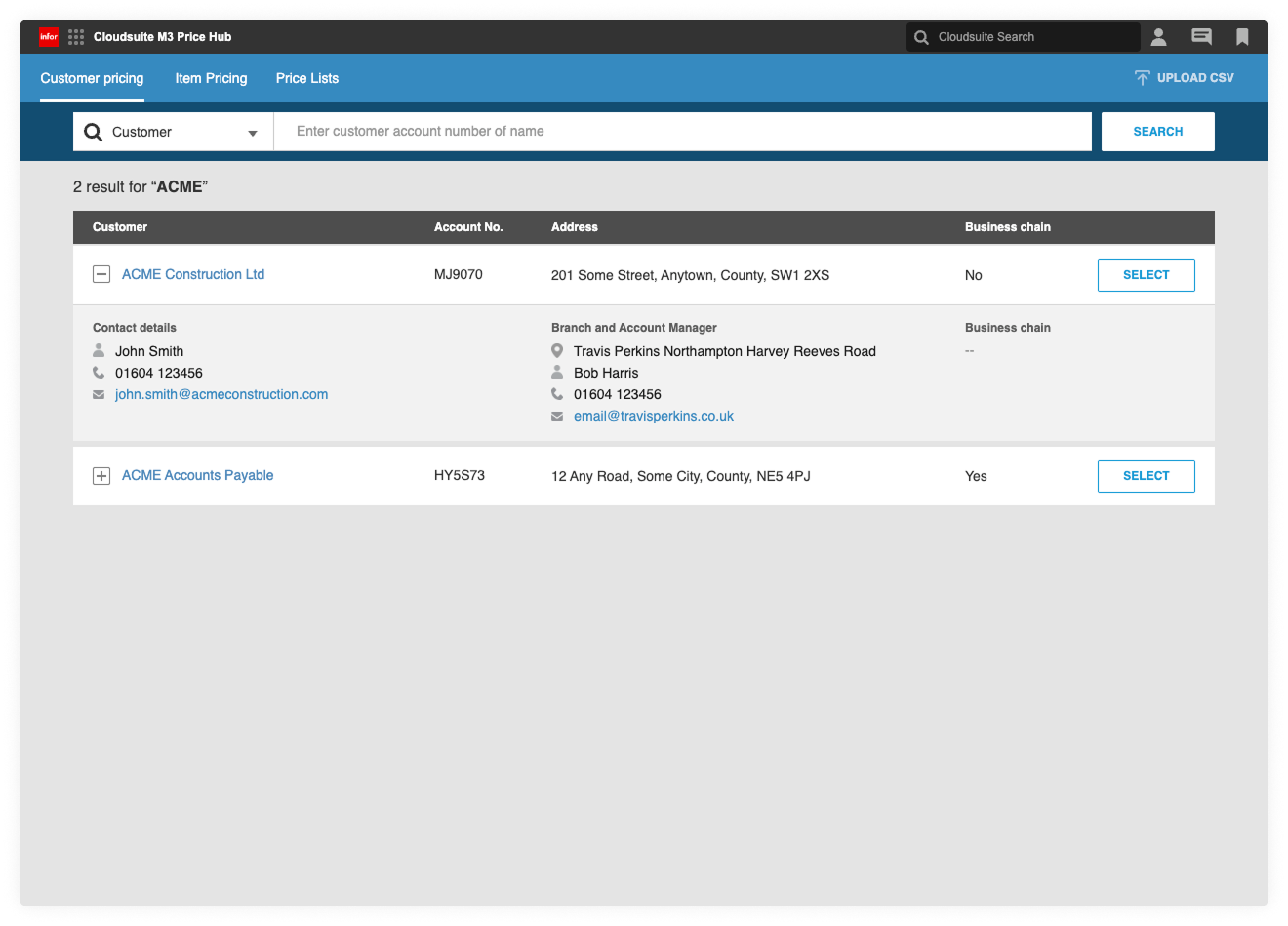
Search results
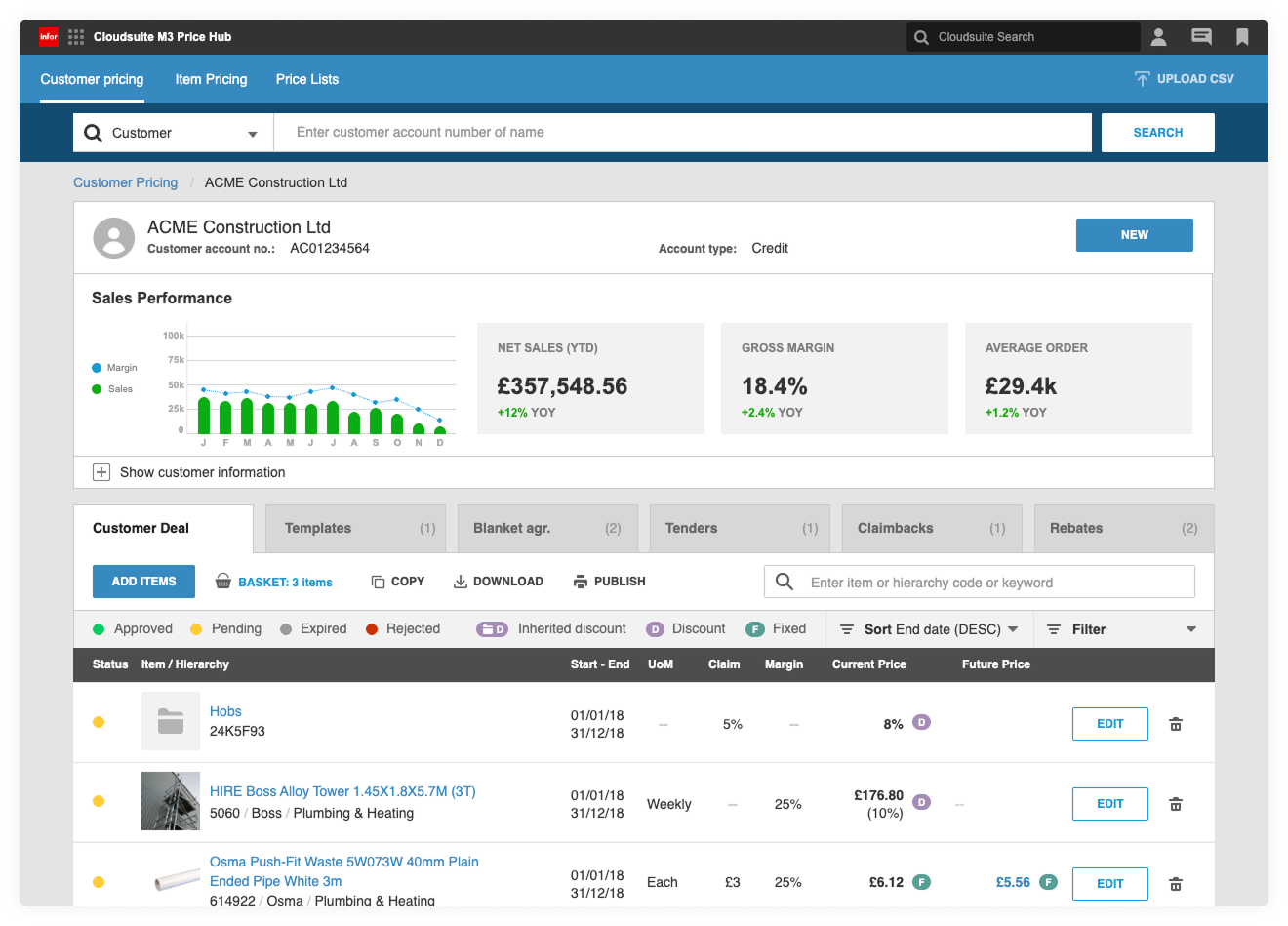
Customer detail
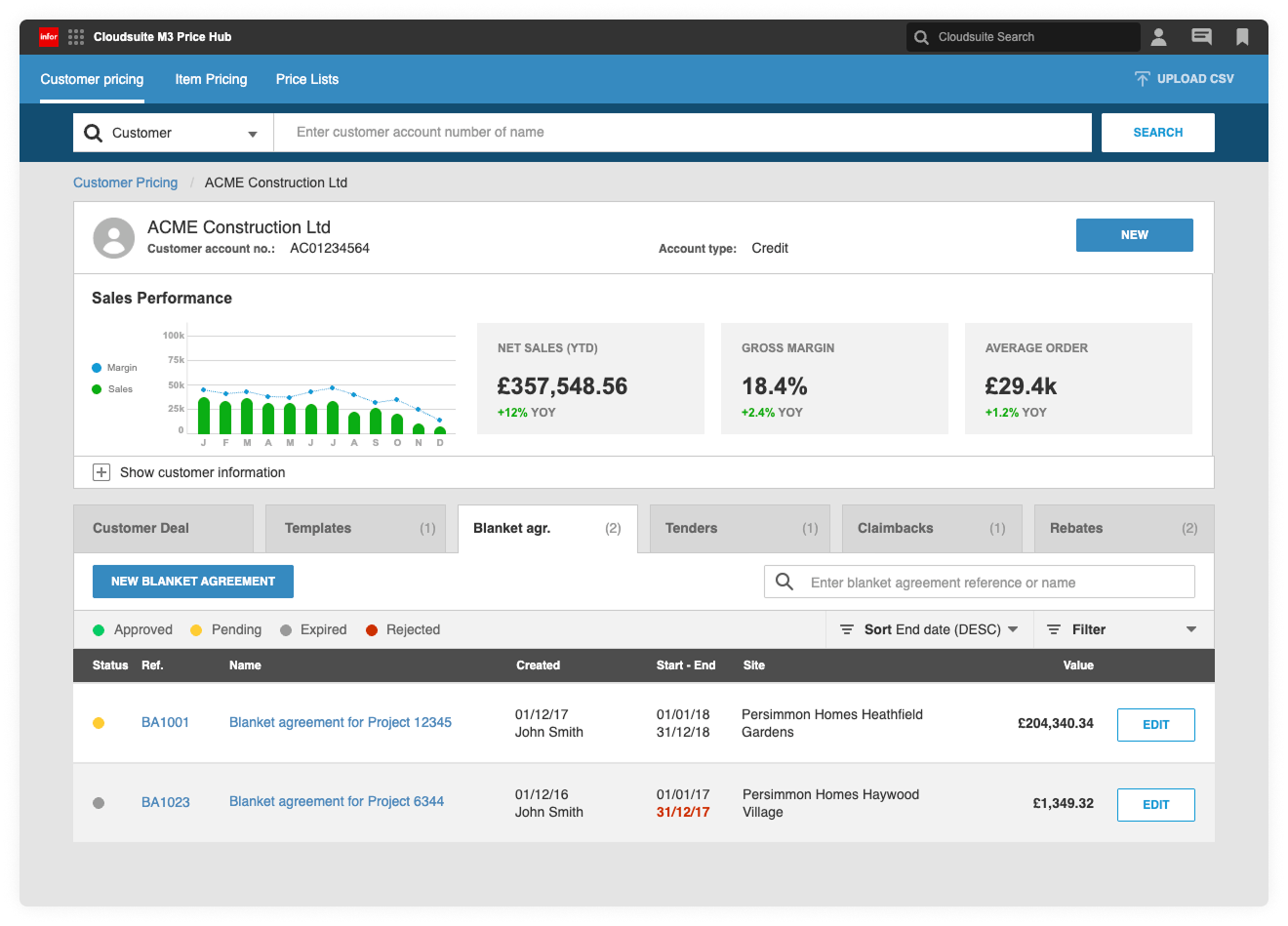
Customer detail Showing the customer’s other pricelists
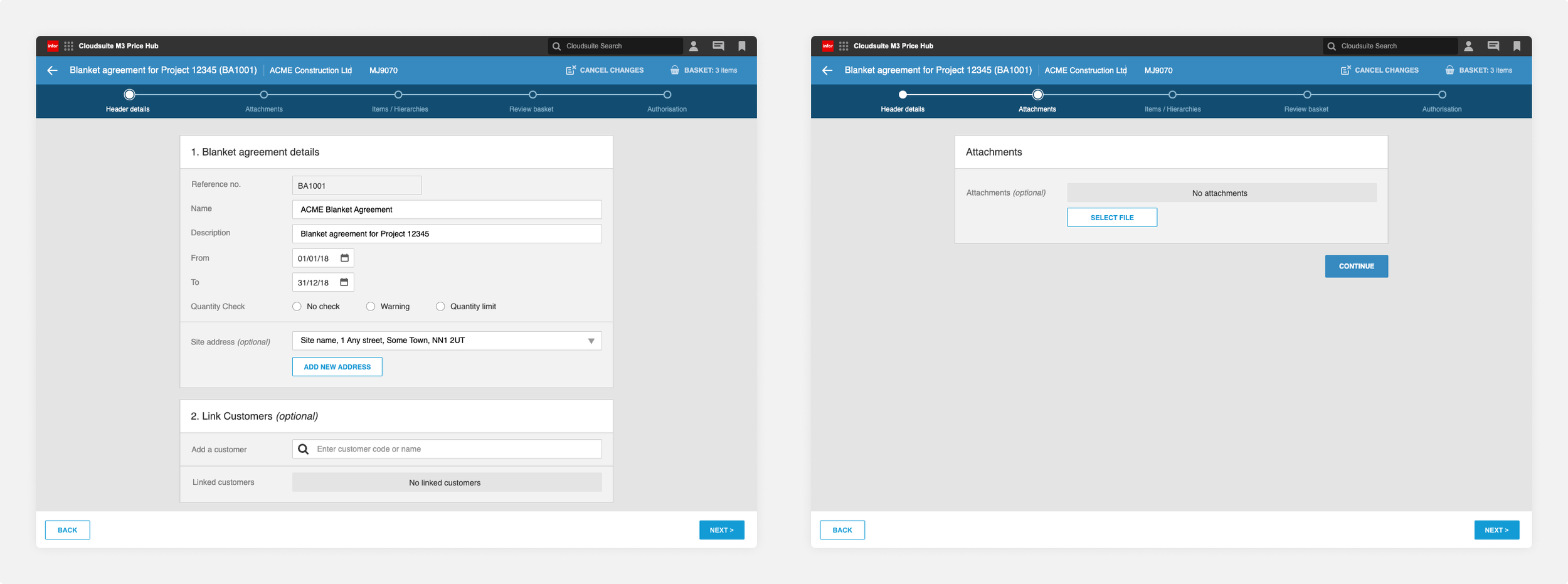
Price list creation Core agreement setup before pricing and item selection.
Items and hierarchies Add products to the agreement by searching individually, browsing hierarchies, or uploading items in bulk via CSV.
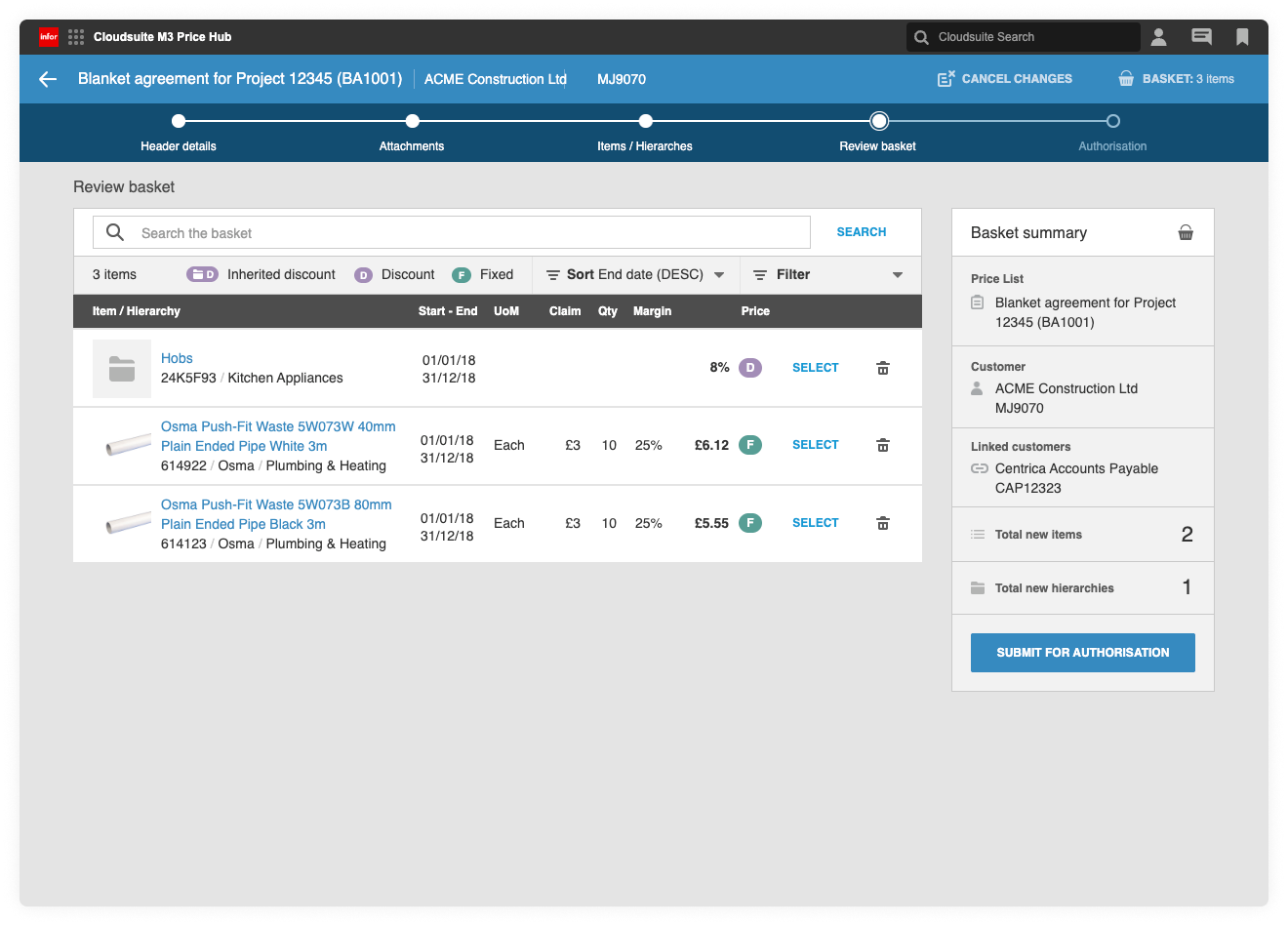
Pre-authorisation Review basket items before submitting for authorisation
Outcomes and learnings
The work turned a messy pricing process into something teams could trust and repeat.
1
Clearer pricing workflows across the business
A single, structured flow replaced fragmented tools and workarounds, making pricing easier to set, review, and manage consistently.
2
More confident pricing decisions in branches
Clear visibility of prices, margins, discounts, and approval states helped branch teams act quickly and with confidence, without relying on manual checks or guesswork.
3
Built so it can evolve
The work created a solid base for future pricing rules and deeper Infor integration without the need to revisit core journeys.
Learnings
Designing within ERP constraints can improve focus on usability rather than aesthetics
Making logic visible reduces the need for training and workarounds
Constant validation at each shippable stage helped catch issues early
Trust comes from working closely with pricing teams and developers, not designing in isolation.
More work
-
![Weatherbys ePassport]()
Weatherbys ePassport
CASE STUDY UX / UI APP
-
![]()
Ucando-it Employee Wellbeing
CASE STUDY UX/UI APP WEB
-
![]()
Wetherspoon Order & Pay
UX/UI APP
-
![MyJDW App]()
MyJDW App
UI APP
-
![House of Garrard]()
House of Garrard
UX/UI eCOMMERCE
-
![Wetherspoon Allergen Kiosk]()
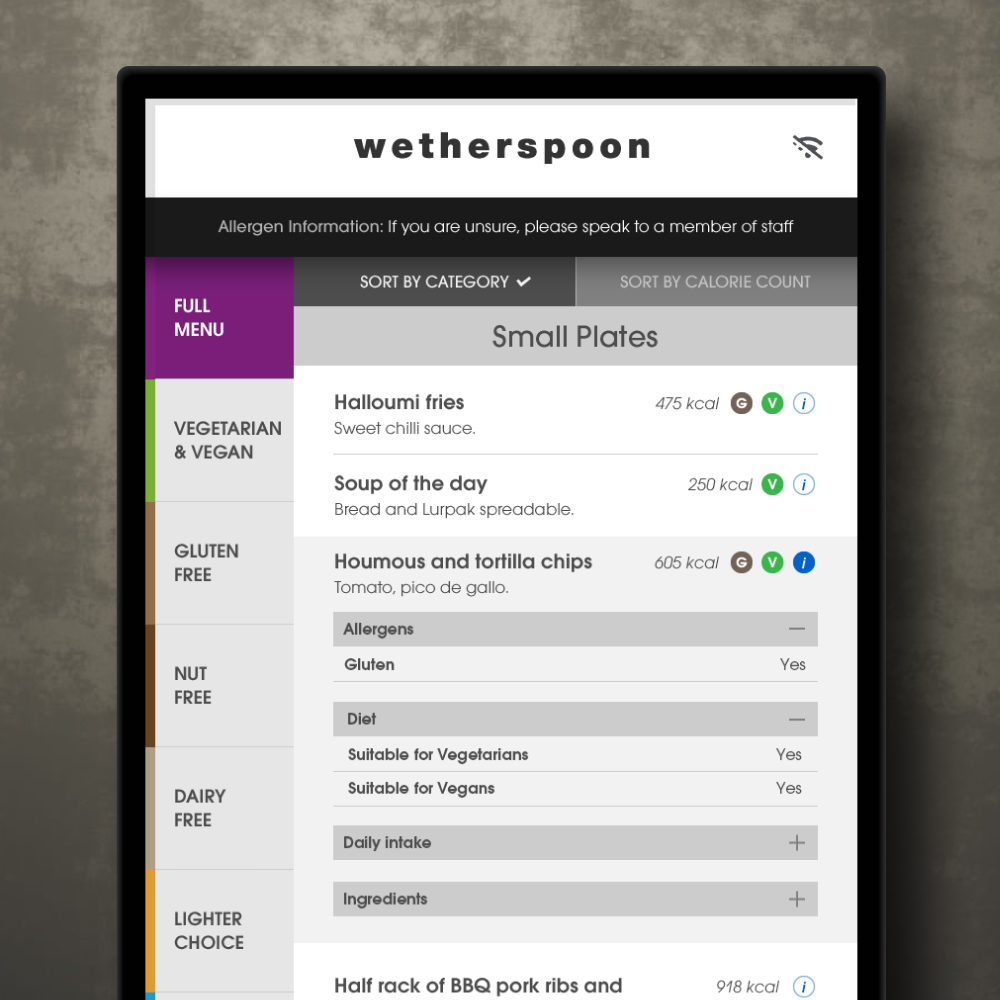
Wetherspoon Allergen Kiosk
UX/UI KIOSK
-
![Inside Out Community]()
Inside Out Community
UX/UI WEB
-
![D&AD Community Portal]()
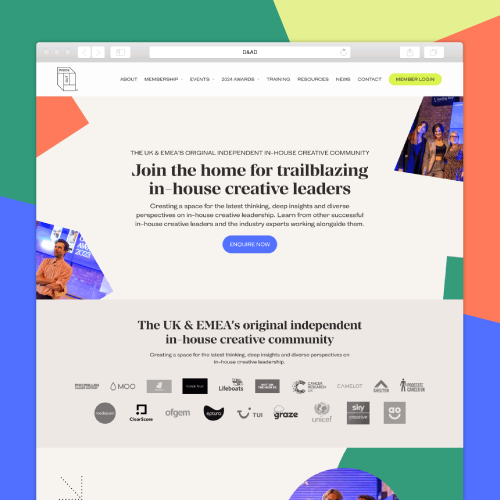
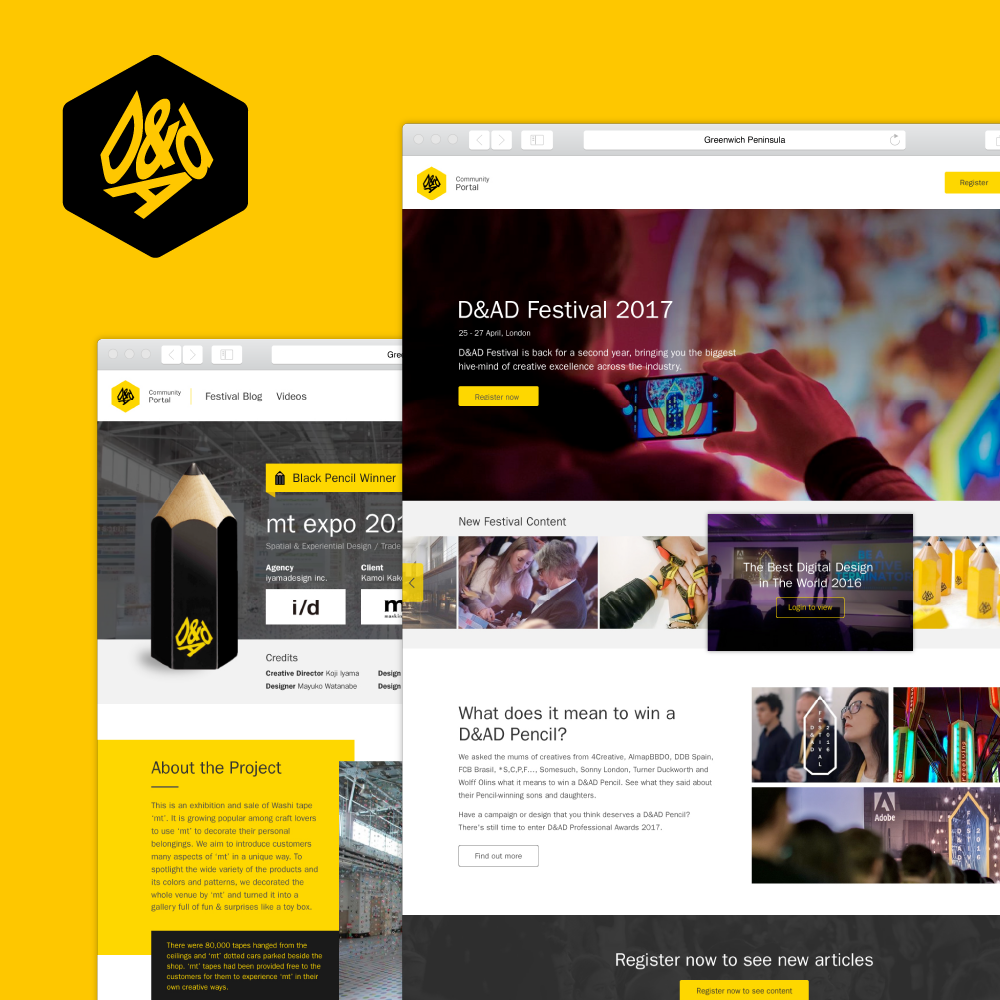
D&AD Community Portal
UI WEB
-
![Medivet Careers]()
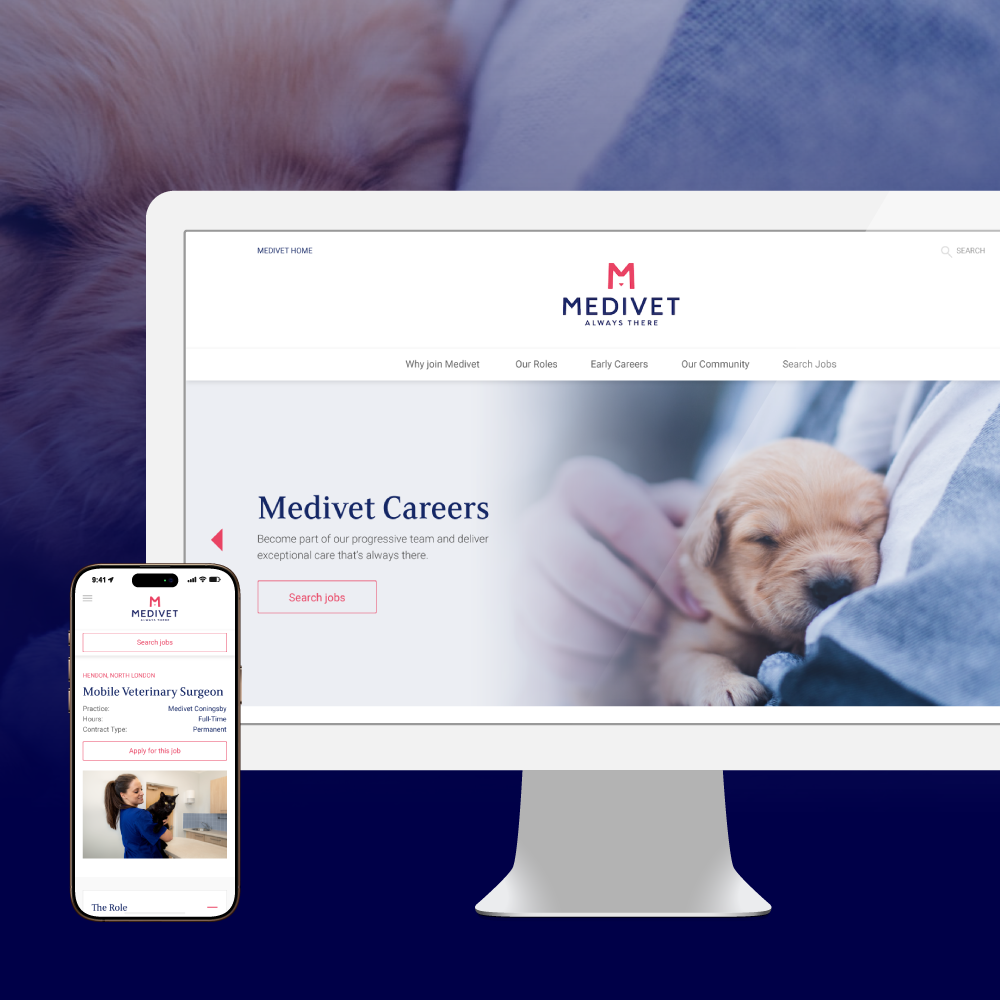
Medivet Careers
UI WEB
-
![Crystal Palace FC Members]()
Crystal Palace FC Members
UX/UI WEB
-
![Travis Perkins Price Hub]()
Travis Perkins Price Hub
CASE STUDY UX/UI ENTERPRISE